Troubleshooting Foldr Issues
Have you tried restarting your computer?, the first thing you should do is restart your computer as this will fix 99% of Foldr issues.
Can't see folder on taskbar
if foldr is not showing in your taskbar you will need to reopen it. to do this.
- Click the start menu.

- Type "Foldr"
- Click on foldr

- Foldr now appearts in taskbar.

Foldr Is Grey
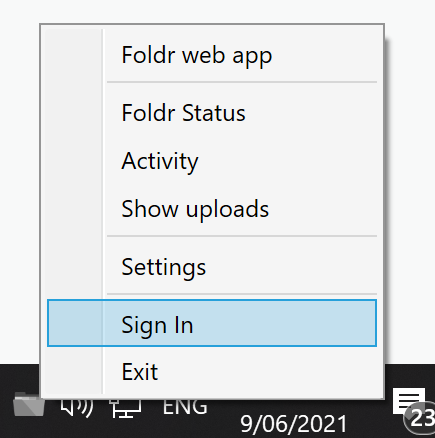
If foldr is grey, this means foldr is signed out. to sign in:
-
- Right click the Foldr icon and click "Sign In"
- Make sure the next window has "foldr.epic.vic.edu.au" and click "Continue"

- Enter your EPIC username (not email) click "Next"
- Enter EPIC Password, CLick "Sign In"
- Foldr will now be coloured and accessible.
- Right click the Foldr icon and click "Sign In"